Mockups
Go to , or press Ctrl+Shift+N. A dialog will appear where you can set the properties for your new mockup. There are 4 types of supported tiles:
 Square
 Isometric
 Flat hex
 Pointy hex
Select the type of your tiles, as well as the tile size. You can have multiple tile sizes within a single mockup — see layer types below for details.
Once created, the mockup opens with the tile grid visible on the canvas. You can toggle the grid on and off with Ctrl+G.
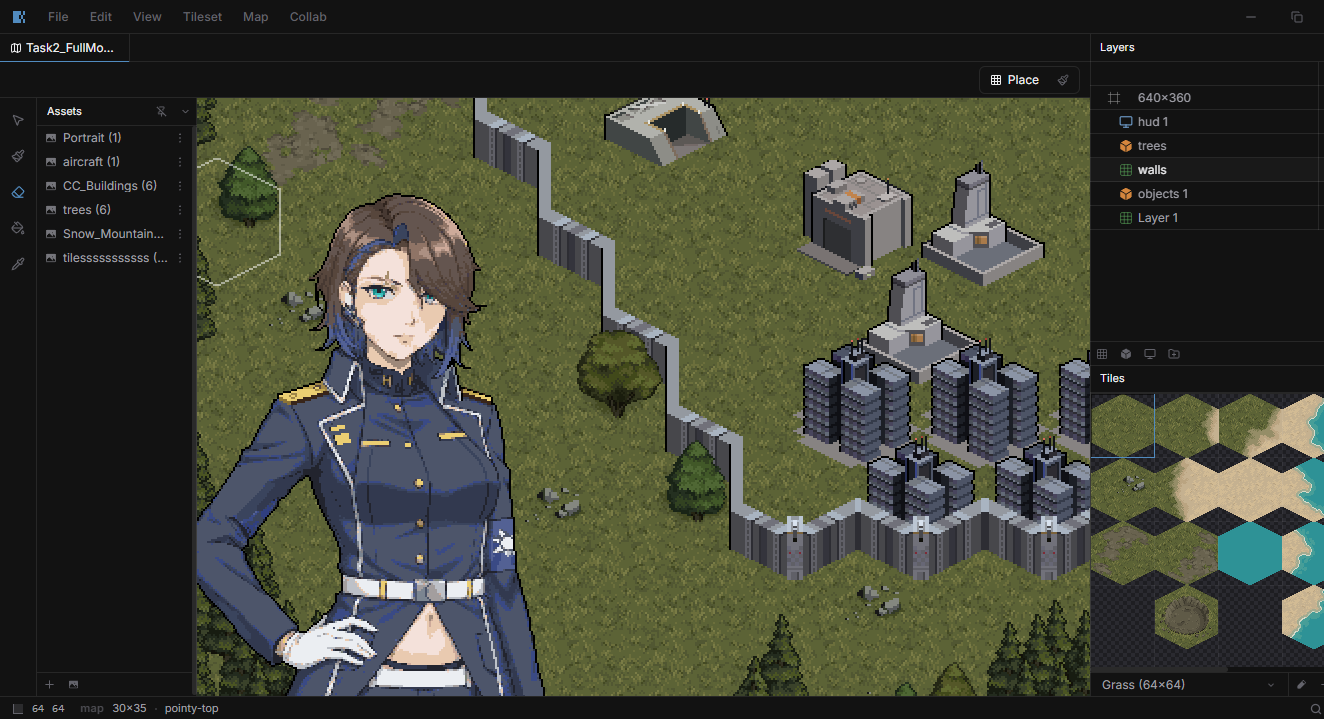
Layer types
Tile layers
Tile layers align content to the mockup's grid. When creating a mockup you choose a tile type (square, isometric, or hex), but you can have tile layers with different tile sizes as long as they're the same type. Place and edit tiles on them.
Object layers
Free-placement or snap-to-grid layers for assets like characters, props, and decorations. Objects don't follow the tile grid — you position them individually on the map.
Frame layer
The Frame layer defines the region that gets exported when you take a screenshot of your mockup. It also acts as the parent anchor for HUD layers — any HUD layer attached to the frame moves with it, so your UI stays aligned when you reposition the capture area.
HUD layers
Overlay layers for UI elements like health bars, menus, and dialogs. You can place assets on them just like on object layers. HUD layers are anchored to the parent Frame layer — moving the frame moves its HUD layers with it, keeping your UI aligned without manual repositioning.